

Sell the case and the whole cake
Singles, half-dozens and dozens from one inventory pool, special orders that don’t live on sticky notes, and wholesale accounts billed monthly.
Baked-in workflows
By-the-dozen pricing
Single, half-dozen and dozen price tiers that pull from one counted inventory.
Special orders
Take deposits on custom cakes and orders, with pickup-day tickets for the kitchen.
Wholesale house accounts
Cafés and restaurants charge on account and get a clean monthly statement.
Product labels
Print ingredient and price labels on Brother QL printers from the item screen.
Built for Bakeries

Point of Sale
Fast, intuitive checkout for retail, counter-service, bar, and full-service restaurant environments — the core transaction, ticket, tender, and refund engine.

Dual Pricing
Automatically presents compliant cash and card pricing throughout the transaction.

Invoices & Remote Payments
Create invoices, collect payment outside a traditional POS transaction, and track customer balances.

Gift Cards
Sell, redeem, track, and manage stored-value gift cards.

House Accounts
Extend controlled credit to customers with limits, statements, child accounts, and collection tools.

Advanced Menu Management
Create items, categories, pricing, availability, taxes, modifiers, and complex menu structures.

Contingent Modifiers
Show modifier choices only when they actually apply to what the customer selected.

Modifier Groups
Build required, optional, minimum/maximum, nested, and conditional selections.

Bundles
Sell multiple products as one bundle while controlling how revenue is allocated internally.

Price Rules
Configure BOGO, mix-and-match, promotional, scheduled, and other dynamic pricing rules.

86 / Availability Management
Instantly remove unavailable items from ordering channels and restore them when available.

Kiosk
Give guests a polished self-service ordering experience that improves throughput and reduces labor pressure.

Online Ordering
Accept digital orders while sharing the same menu and operational ecosystem as the POS.

Kitchen Display System
Route and organize orders digitally for faster, clearer kitchen execution.

Kitchen Printing
Intelligently route items to the correct prep stations and printers.

Customer-Facing Displays
Show order details, totals, pricing, and customer interactions during checkout.
Digital & Printed Receipts
Deliver receipts by print, email, or other supported digital methods.

Loyalty & Rewards
Create points, visit, spend, item, and other reward structures that encourage repeat business.
Reward Accelerators
Use bonus earning rules to actively influence when and what customers purchase.

Customer Profiles
Build usable customer histories from purchases, visits, rewards, preferences, and account activity.

Marketing Tools
Engage customers with targeted offers and promotions based on actual purchasing behavior.

Margin Games
Turn sales goals into staff competitions such as Server Bingo, Sales Race, Perfect Check, Punch Cards, and Team Goals.

Promotions & Coupons
Create targeted discounts without forcing managers to improvise at the register.

Milestones
Track business achievements that can become internal celebrations or shareable marketing moments.

Daily Settlement Report
Reconcile POS sales, processing costs, deposits, refunds, and expected bank activity without chasing pennies.
Z-Reports
Produce traditional end-of-day sales and tender reporting.

Sales Reporting
Analyze sales by date, hour, item, category, employee, location, tender, and other dimensions.

Custom Reports
Build reports around the questions unique to the business instead of settling for canned analytics.

Prebuilt Report Library
Access useful operational and financial reports without building anything.

Menu Performance
See which items generate revenue, volume, margin, and attachment opportunities.
Tip Reporting
Track tips, tip distribution, tip pools, and employee earnings.
Tax Reporting
Separate and summarize taxable sales, tax collected, exemptions, and jurisdictional data.

Payment Reporting
Understand card, cash, ACH, gift card, house account, and other tender activity.

Operational Snapshots
See sales, labor, and transaction activity as it happens instead of waiting until tomorrow’s reports.
Employee Management
Maintain staff profiles, roles, permissions, assignments, and operational access.

Time Clock
Handle employee clock-in, clock-out, breaks, punch history, and corrections.
Tip Pools
Define and manage tip-sharing rules across eligible employees and roles.
Tasks & Alerts
Surface things that require managerial attention instead of forcing owners to hunt for problems.

Mobile Management
Give managers access to critical operations, reporting, menus, employees, events, and orders from iOS or Android.

Operator Tools
Built-in calculators and utilities help owners make practical pricing, margin, keg, and unit-cost decisions.

Inventory Tracking
Monitor quantities and inventory movement alongside actual POS activity.

Purchase Orders
Create, receive, and reconcile inventory orders from vendors.

Label & Shelf Tag Printing
Produce product labels and cash/card shelf tags directly from Icosa.

Low-Stock Controls
Identify products requiring attention before they become operational problems.

Menu Boards
Build digital menu and promotional displays from POS data.
Customer Enrollment
Capture customers into rewards and engagement programs during normal checkout.

Saved Payment Methods
Use secure tokenized payment methods for accounts and repeat customers without storing PAN data.

Roles & Permissions
Determine exactly what owners, managers, employees, and other users can access.
Device Management
Manage terminals, tablets, kiosks, printers, scanners, displays, and other deployed hardware.

Printer Routing
Decide precisely where individual items and categories should print.

Store Settings
Centrally control operational rules instead of relying on terminal-by-terminal configuration.

Auditability
Preserve activity history for sensitive operational, administrative, and security-relevant actions.
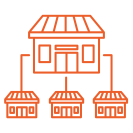
Multi-Location Management
Operate multiple locations without treating every store like an unrelated business.
Organization → Group → Location Hierarchy
Structure enterprise operators around brands, regions, concepts, franchise groups, or other real-world relationships.

Inherited Configuration
Push settings from higher levels while allowing controlled location-level overrides.
Enterprise Reporting
View performance at an individual location, group, or organization level, with roll-ups and comparisons across the hierarchy.
Cross-Location Administration
Give corporate and regional users appropriate visibility across the enterprise.